25

Hole io

Holey.io Battle Royale

Veck IO
Rob Brainrot 2
Flip Rush

Fish It Online
Bat Smash

Ski Frenzy

Bottle Hop

Tiny Arena

Xlope 2
Stickman War

Mine: Attack Of The Hole

Hole
Living Pit
Drift Rush is a fast-paced 3D drifting game that throws you straight into the rush of high-speed racing and slick cornering. From the moment I started playing, I was hooked—the sense of speed feels great, and pulling off clean drifts around tight corners is seriously satisfying. If you’re into stylish driving and testing your reflexes, this one’s easy to get addicted to.
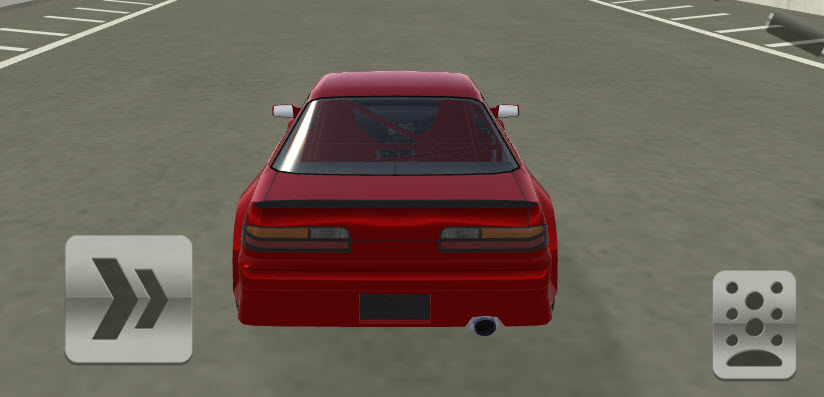
One of the best things about Drift Rush is how easy it is to jump into. Since it’s completely unblocked and runs right in your browser, there’s no need to download anything or worry about having a high-end PC. Whether I’ve got a few minutes to spare or want a quick break, I can load it up instantly and start drifting.
Another big plus is how well the game balances fun and challenge. The controls feel smooth and responsive, and every track pushes you to improve your drifting skills. I often catch myself saying “just one more run” because I’m so close to beating my last score—it’s that kind of game.
Smooth, realistic, and exciting 3D drifting mechanics.
A variety of cars to unlock and master.
Multiple tracks and environments, each with its own feel.
Responsive controls on both PC and mobile.
Play instantly in your browser—no downloads needed.
Fully unblocked so that you can play almost anywhere.
W / Up Arrow — Accelerate
S / Down Arrow — Brake or reverse
A / Left Arrow — Steer left
D / Right Arrow — Steer right
Spacebar — Handbrake for sharper drifts
On-screen buttons for steering, accelerating, and braking.
Tap-and-hold inputs make it easier to maintain smooth drifts.
One of my favorite parts of Drift Rush is trying out different cars and seeing how each one handles. Some feel heavy and powerful, while others are lighter and much easier to control during long drift chains. I like switching things up and pushing myself to stay in control for as long as possible without slamming into the barriers—it’s challenging but really rewarding when you get it right.
The track variety also keeps things from getting repetitive. Each course has its own layout and rhythm, so you’re constantly adjusting your timing and drift angles. That mix of speed, skill, and smooth driving makes Drift Rush a game I keep coming back to again and again.