5

Hole io

Holey.io Battle Royale

Rob Brainrot 2

Venge IO

Hole Master
Hole

Attack Hole
Grow A Black Hole: Idle Clicker

Crowd Eater: Idle Black Hole

Super Black Hole
State io
Mine: Black Hole

Hole Battle io

Crowd City

Hole Battle Arena
Astro Tycoon is a rather ambitious multiplayer space empire-building simulation game released by ozgames.io, inspired by Astro Miner but taking it much further—transforming those core ideas into a vast, player-controlled universe. In this game, you're not just mining resources, and that's it—you're actually building a vibrant interstellar economy, sometimes alongside other players, and sometimes competing directly with them.
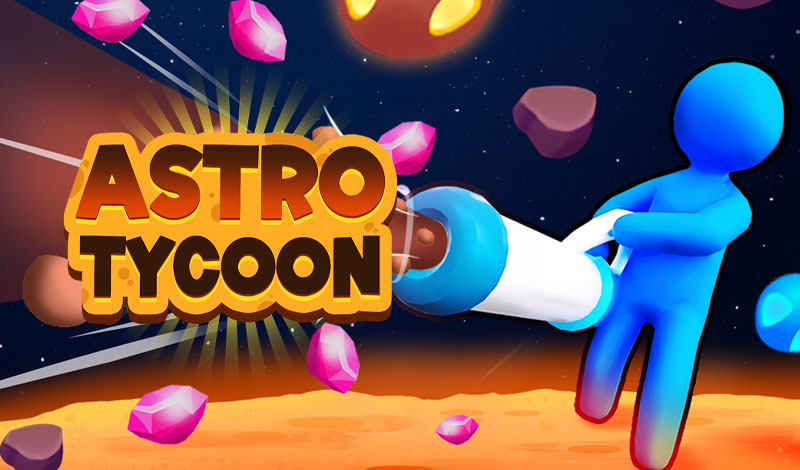
This game really emphasizes cooperation and strategy. In my experience, trying to do everything alone can be quite difficult, so forming alliances becomes a crucial part of the game. Cooperation will give you more resources and help you achieve high efficiency sooner.
Exploration is also a crucial part of the game's appeal. With customizable ships, you can venture into completely unexplored areas of space, never knowing what you'll find. Sometimes it's rare resources, sometimes secret systems or new trade routes—but there's always a sense of risk. I've had moments where an expedition felt like a gamble, especially when other factions are clearly racing to discover the same thing, and that tension makes the game much more engaging.
W / S → Move forward or backward.
A / D → Turn left or right.
Q / E → Strafe sideways (sometimes rotate, depending on the ship).
Shift → Boost speed when I need to move quickly.
Ctrl → Slow down or brake.
At first, I kept oversteering, but after a while, it started to feel smooth and natural.
Move the mouse → Aim or steer the ship.
Left-click → Fire weapons or interact with objects.
Right-click → Lock onto a target or trigger a secondary action.
Scroll wheel → Zoom in/out or tweak speed.
I rely on the mouse a lot for precision—it really makes combat and navigation feel more responsive.
F → Interact with things like stations, asteroids, or NPCs.
R → Scan the surrounding area for resources.
T → Open the trading or marketplace menu.
Tab → Cycle through targets (enemies, asteroids, stations).
Economy & Management
I → Open inventory
M → View the galaxy or star map
B → Access the build menu (stations, modules, etc.)
U → Upgrade or research new technology
P → Open player or alliance dashboard
I spend a surprising amount of time here—managing resources and planning upgrades is honestly one of my favorite parts.
Multiplayer & Society
Enter → Open chat
L → Alliance menu
O → Trade with other players
Camera & Utilities
C → Switch between camera views (first-person or third-person)
V → Toggle the UI/HUD
Esc → Pause the game or open settings
I usually switch camera views depending on what I’m doing—first-person for immersion, third-person for better awareness.